Skip to content

Your time, to the quarter hour.

One Start button and one Stop button per project. Every click is rounded to the nearest quarter hour, and your monthly summary is ready to copy.

An email account, nothing else needed.

Data hosted in Paris, deletable anytime from your account.
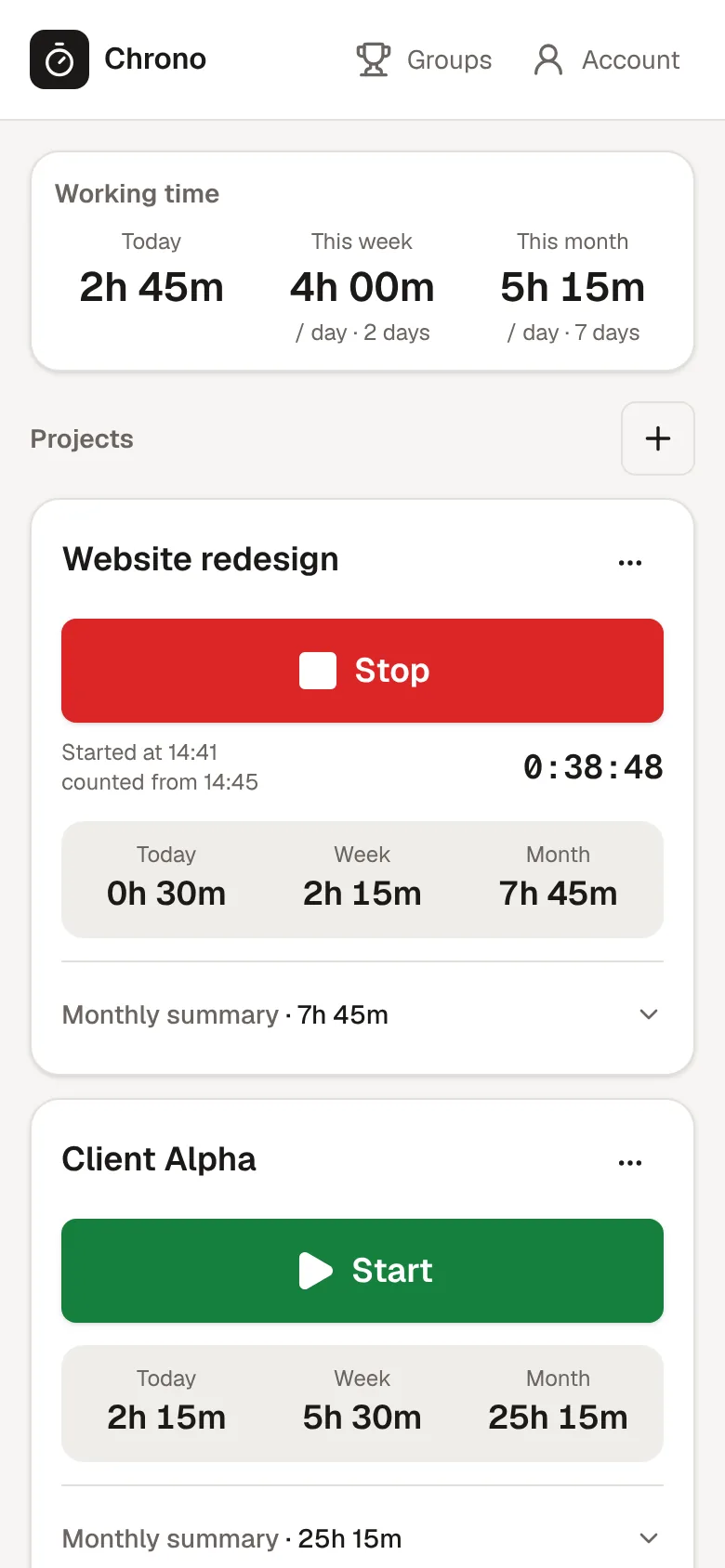
The dashboard: today's working time and the daily averages for the week and month, then one card per project with Start or Stop, its hours and the monthly summary.

The dashboard.Your working time at the top, then one card per project with Start, Stop and the monthly summary.

The app

What Chrono does.

Start and Stop in one click

One card per project, one big button. The timer keeps running if you close the tab.

Rounded to the quarter hour

10:41 becomes 10:45, 12:05 becomes 12:00. No math on your side.

One timer at a time

Starting a project stops the previous one, at the same quarter hour.

Today, week, month

Per project, and as an average per day worked across all your projects.

Monthly summary ready to copy

Each week's hours and the total, ready to paste into an email or a document.
How it works

One click to start, one click to stop.

One card per project

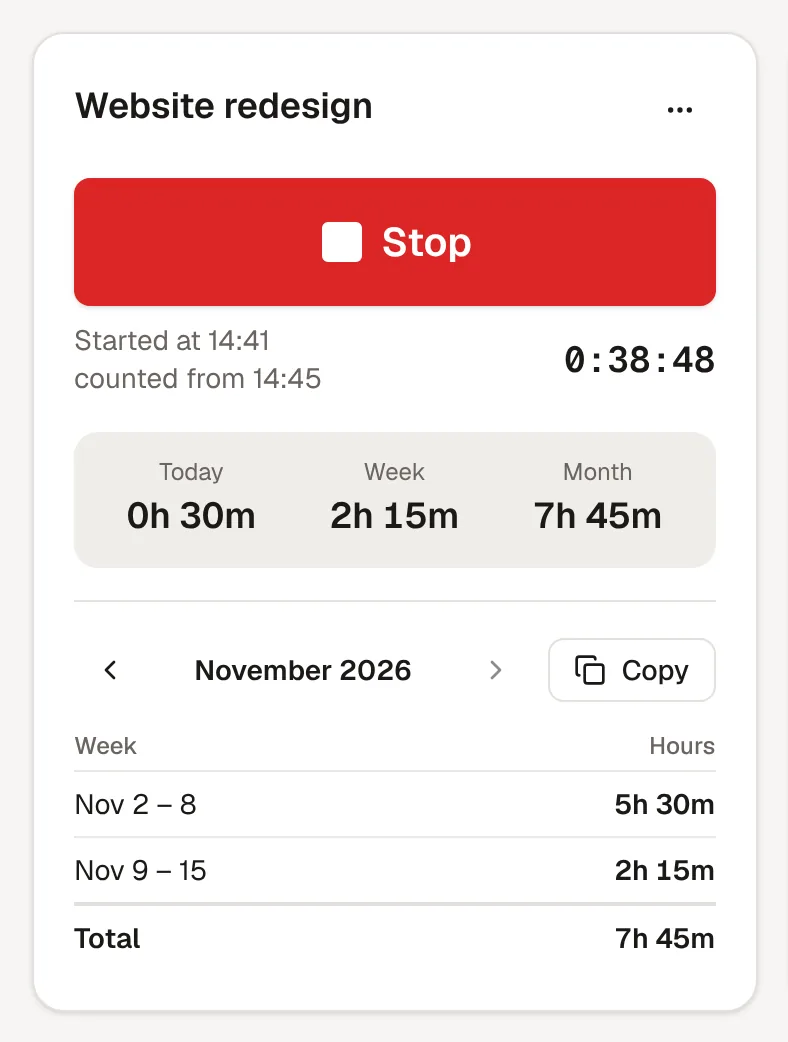
Click Start, and your time is counted to the nearest quarter hour.

A running project card: the Stop button, started at 14:41 and counted from 14:45, the timer, then the hours for today, the week and the month.
Monthly summary

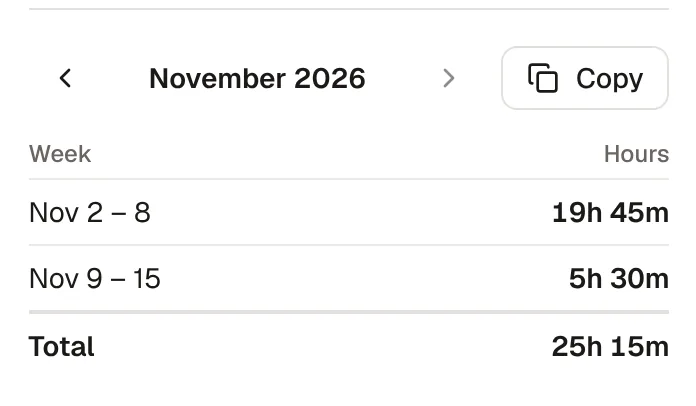
The weeks of the month and their total, ready to paste into an email.

A project's November summary: two weeks, their total and the Copy button.
Working time

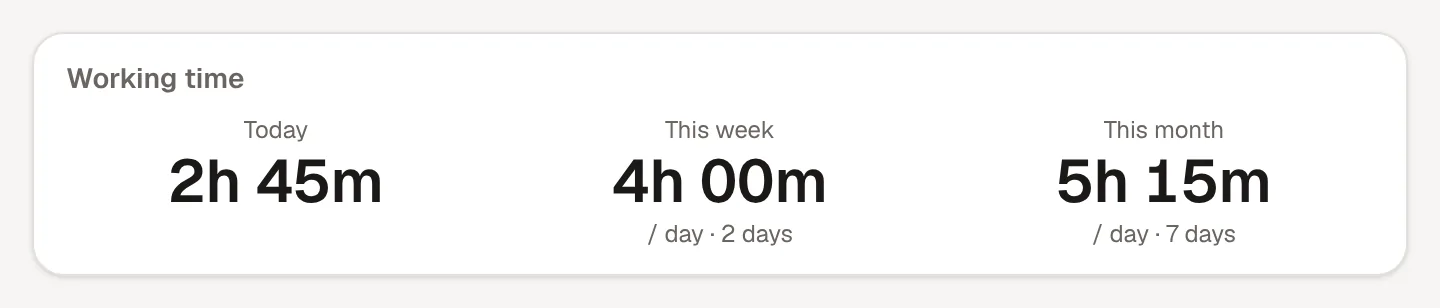
Your day and your average per day, across all your projects.

The Working time panel: 2h 45m today, 4h 00m per day this week, 5h 15m per day this month.
On your phone

The same big buttons on your phone, in sync with your computer.

The dashboard on a phone: working time, the list of projects with its + button, and a running project with the Stop button.
On your phone

Chrono on your home screen.

Install it like an app, with the same account and the same timers as on the website. No app store, nothing to update.

Install the app

Pricing

One month to try, then €5 a month.

Free

€0for 1 month

All of Chrono for a month, to try it on your real projects.

  • Every Chrono feature
  • No credit card

Chrono

Coming soon

€5per month

Time tracking to the quarter hour, with no limit on projects.

  • Unlimited projects
  • Start and Stop rounded to the quarter hour
  • Exact-minute mode when rounding is off
  • Time for the day, week and month
  • Average per day worked
  • Weekly chart of your time per day
  • Install it on your phone, like an app
  • A suggested day with today's prayer times
  • Monthly summary ready to copy
  • CSV export of every entry
  • Add or delete a session
  • Groups with a podium of working time
  • See who is working right now in your groups
  • Prayer times in your calendar

Chrono Premium

Coming soon

€10per month

Everything in Chrono, plus features to go further.

  • Everything in Chrono
  • Edit an entry(coming soon)
  • Detailed reports by period(coming soon)
Your data

Hosted in Paris, kept private.

Hosted in Paris

Accounts and data on Supabase, in Paris. The app is served by Vercel, with its processing in Paris.

What we keep

Your email, your projects, your settings, and for each entry the click time, start and end.

Private by default

Only what your timer needs. Delete your account and all your data anytime.

Start your first timer.

Every Chrono feature, free for a month.